
HDD Sub Savers and Drill Pipe Adapters: How to Specify Pin and Box Connections
An adapter description reads in two directions. A pin on one end and a box on the other are only the beginning. Both connections need a complete designation, and their positions must correspond to the mating parts in the actual assembly. A reversal on the order can make a perfectly machined part unusable.
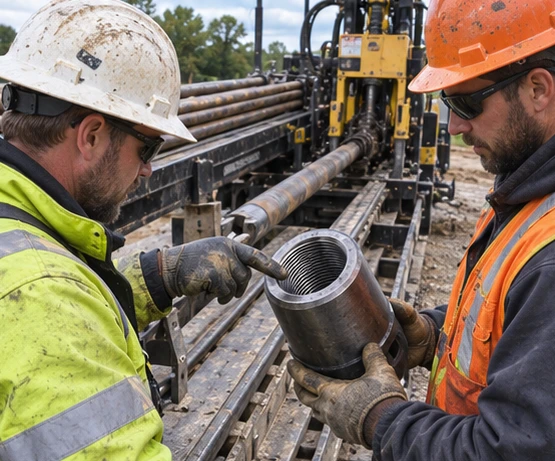
Name the components on either side
Start with the two parts the adapter will connect. On a sketch, mark which is toward the machine and which is toward the cutting tool. Record the gender of each existing part before writing the required ends of the new adapter. This prevents the common mistake of describing the mating part when the supplier needs the adapter itself.
Where markings are incomplete, supply photographs of the ends and a drawing or traceable part number. A tape measurement can help identify the scale of the part, but it cannot certify a thread profile, taper or pitch. Similar-looking connections deserve a manufacturer or supplier review before a substitution is accepted.
- Existing machine-side fitting
- Adapter end A and end B
- Existing tool-side fitting
Distinguish an adapter from a wear component
An adapter joins the specified interfaces. A saver sub may provide a replaceable connection at a high-use point. The names sometimes appear together in a catalog, yet the intended location, service instructions and machine compatibility still determine which part is appropriate. Ask what the proposed item replaces and which surfaces it will mate with.
Check the dimensions beyond the threads. The overall length and body diameter affect whether the assembly fits in the available space. Wrenching features and shoulder geometry can matter to the machine or tooling arrangement. A quotation that lists only two thread strings does not capture all of those requirements.
| Field on drawing | Example of the required detail | Error it prevents |
|---|---|---|
| Orientation | Machine side versus tool side | Reversing the adapter description |
| Connection at each end | Full designation together with pin or box | Ordering a gender or profile that cannot mate |
| Envelope | Body OD, length and wrench features | Receiving a part that does not fit available space |
Read catalog descriptions without losing orientation
Richdrill’s adapter table includes pin-to-pin combinations as well as combinations ending in a box. Copy the selected designation in full, including the second end. Do not shorten a request to the one familiar thread name. If a supplier uses different notation, ask for the same two-end sketch with the proposed part marked on it.
Retain the approved sketch with the delivered part number and identify the mating components in stock records. If one side of the assembly changes later, the buyer can see which connection requires review. An adapter that solves a geometric mismatch still needs documented suitability for the intended machine and service.
What if two vendors reverse the order of the connections in the description?
Send both a common sketch with end A and end B identified, and ask each to mark the connection on the same end of the drawing. Two strings of text can describe the same adapter in opposite reading directions, or two different adapters altogether. A marked sketch resolves that uncertainty before purchasing makes a price comparison.
Further reading · Richdrill product information